Budget & Alerts
Budget & Alerts lets you set one monthly credit budget that applies to each of your managed accounts, and get an email when any account reaches a threshold. Use it to spot accounts whose usage is climbing before the statement arrives.
Navigate here via My Accounts → Budget & Alerts.
Notification only: The budget on this page never blocks an account or stops its apps. To stop an account's apps at a limit, open that account in Accounts management and set a budget with a Hard stop on its Budget & Alerts tab.
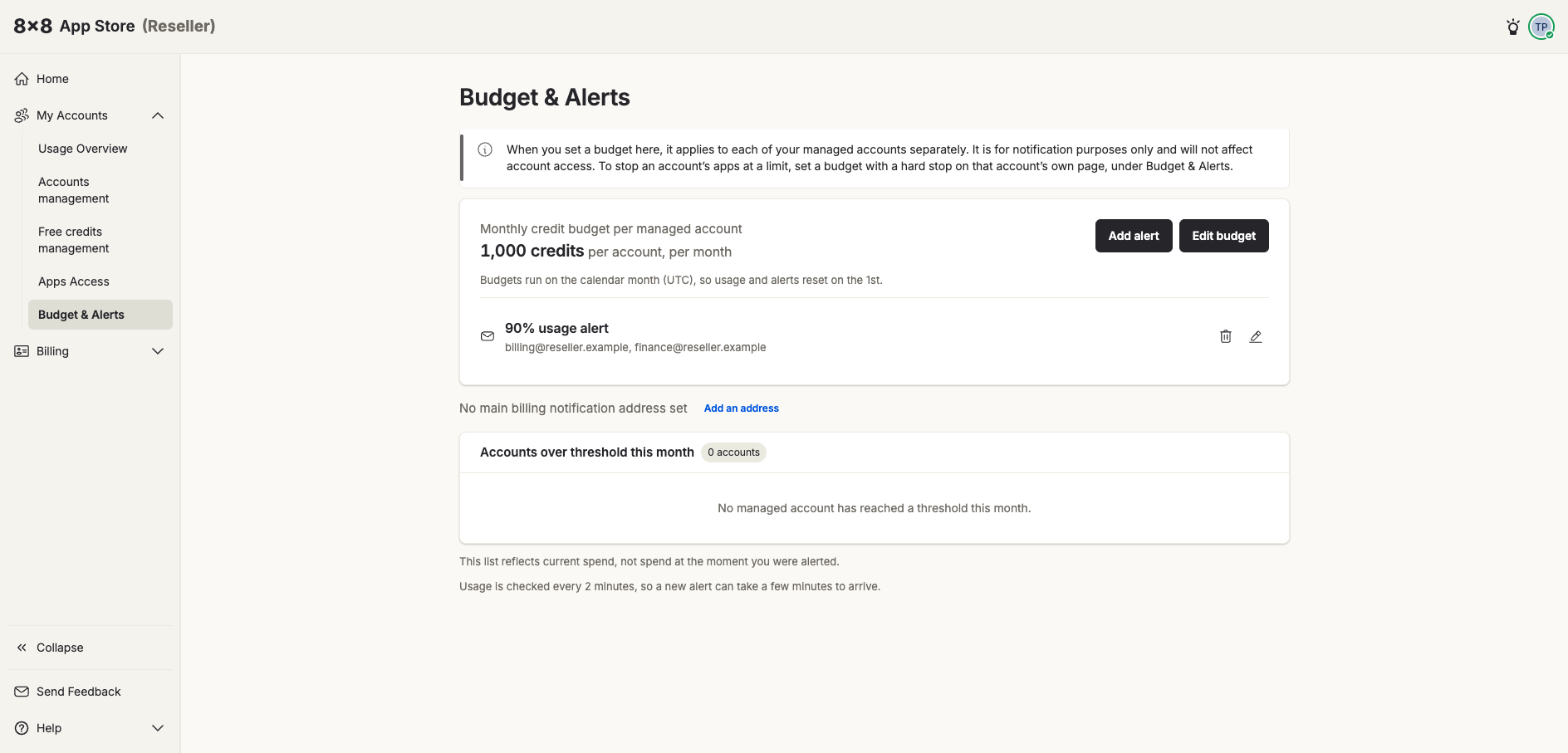
Setting the budget
Click Edit budget and enter a Monthly budget in credits, then Save. The same amount applies to every managed account separately — for example, a 1,000-credit budget means each account is measured against 1,000 credits, not 1,000 shared across them all.
Changing the amount re-checks every managed account against it, so accounts that are already over a threshold will be alerted again that month.
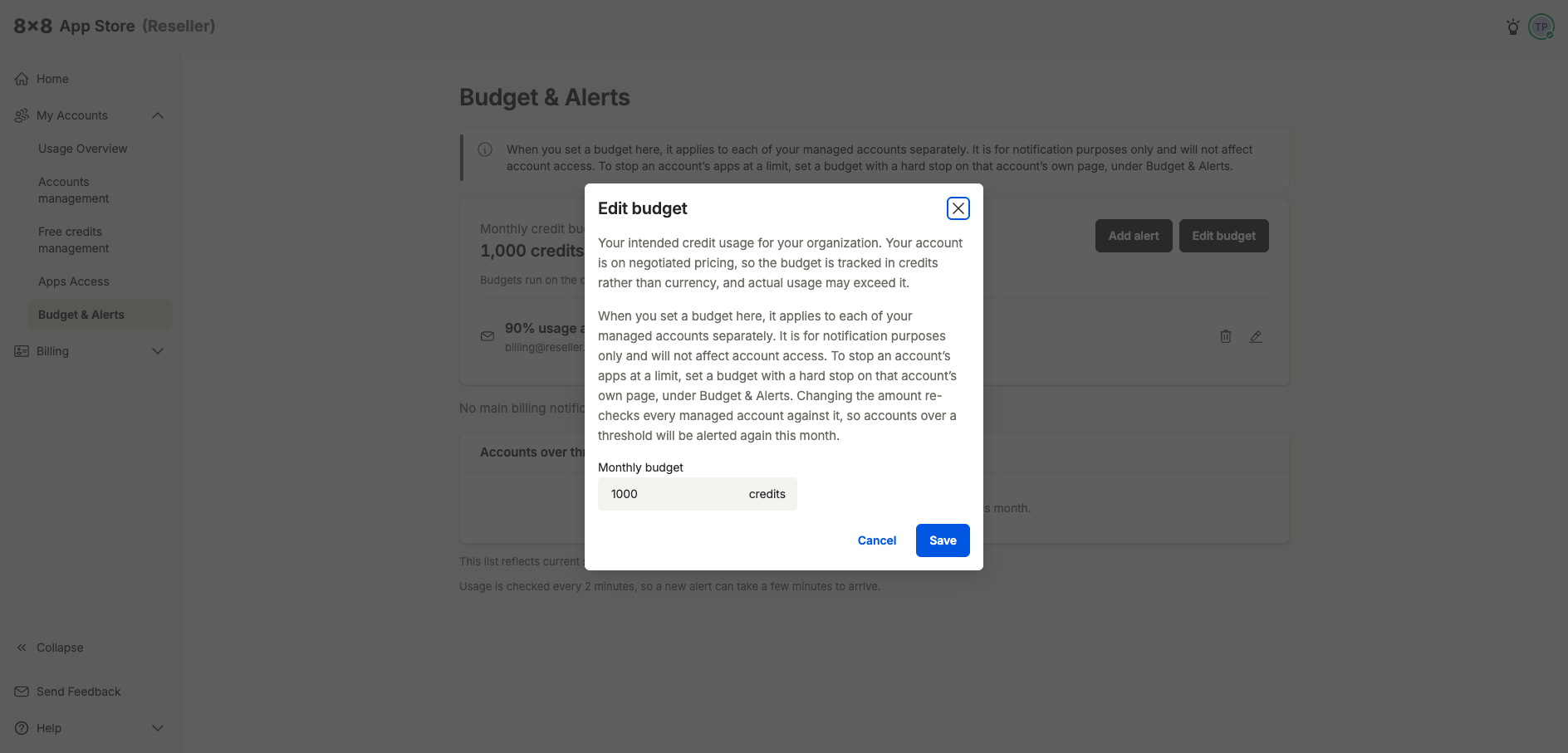
Budgets run on the calendar month (UTC), so usage and alerts reset on the 1st.
Adding an alert
Click Add alert and fill in:
- Alert when budget usage exceeds — a percentage of the budget, for example 90%
- Email Subject Prefix (optional) — text added to the start of the email subject, so alerts are easy to filter
- Also send alerts to (required) — one or more email addresses, separated by a comma or semicolon
Click Add alert to save it. Each alert appears on the page with its threshold and recipients; use the pencil icon to change it or the bin icon to delete it.
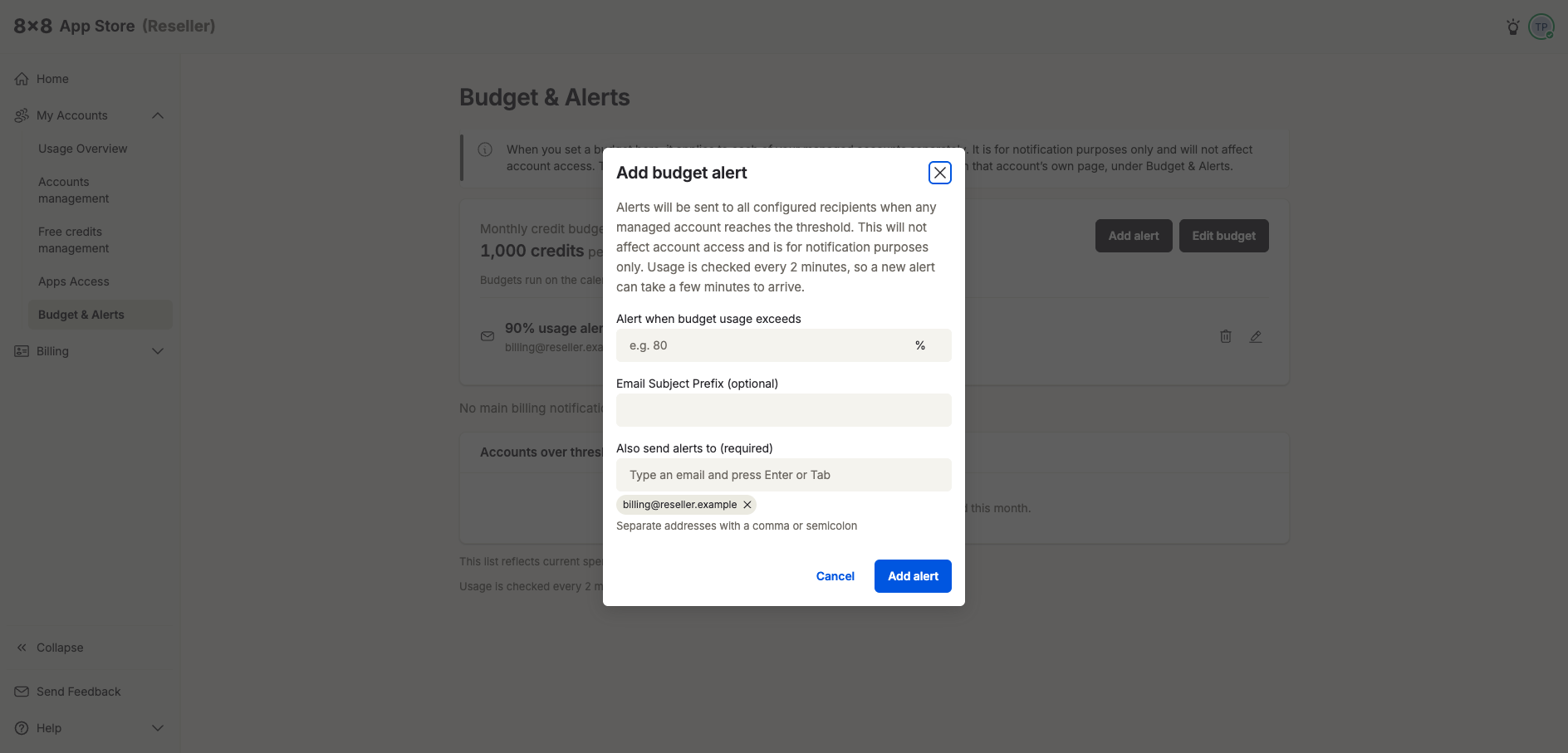
Timing: Usage is checked every 2 minutes, so a new alert can take a few minutes to arrive.
Billing notification address
Below the budget you can set a main billing notification address using Add an address. If none is set, the page shows "No main billing notification address set."
Accounts over threshold this month
This list shows every managed account that has passed an alert threshold in the current month. It reflects each account's current spend, not its spend at the moment the alert was sent.